

Before you start, make sure you have:
- An assistant created on the platform
- Your embed script copied from the assistant’s Publish area
- Admin access to your Magento 2 store
Add the script to your storefront
1
Copy your embed script
Open your assistant on the platform, go to its Publish area, and copy the script. It already contains your 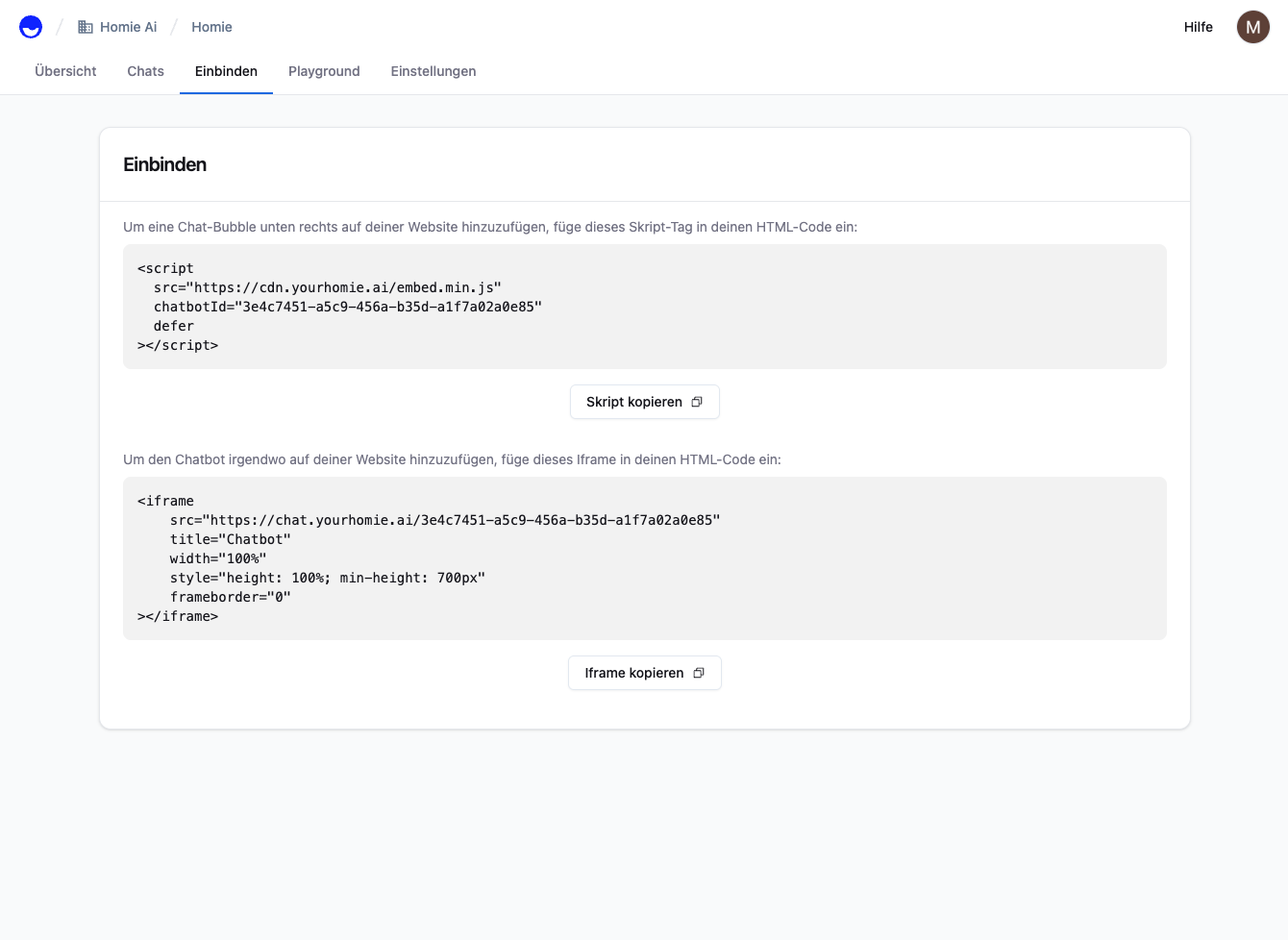
chatbotId.2
Choose how to add it
- Layout XML
3
Flush the cache
Flush the Magento cache so your change is served.
Refresh your storefront. The homie chat bubble appears in the bottom-right corner. Open it and send a test message.
Troubleshooting
- No bubble showing? Flush the Magento cache, then clear your browser cache or use an incognito window.
- Applied to the wrong store? Confirm you edited the correct store view scope in the configuration.
Next steps
Client API
Configure the widget and call methods from your site.
Installation overview
Compare install methods for every platform.