

Name
Give the assistant a clear internal name so you can recognize it across the platform.Activation
Switch the assistant Active to serve it on your store, or Inactive to take it offline without deleting it.Default language
Pick the language the assistant uses when it cannot detect the visitor’s language. This also seeds your translatable interface strings.Product link parameters
Under Product link parameters, the Query parameters field holds a query string the assistant appends to every product link — both on the product cards and on product links inside the answer text. Use it to recognise in your analytics tool which store visits come from the assistant. Enter the parameters without a leading question mark, for example:The
variant parameter is reserved because the assistant uses it to link the selected product variant. Names must
also not contain a dot or start with $. In the Playground and in previews the parameters are not appended, so you
always see clean links there.Security
Under Security, choose whether to keep the assistant private (available only in the Playground) or protect it with a login so only signed-in users can access it.Consent before chat
In Consent before chat, enter the Title, Notice, and Button text for the mandatory screen. The rich-text editor supports formatting and links. Enable Show consent checkbox and enter the Consent text when visitors must actively confirm the notice before continuing. Select Save and activate to publish the screen or Deactivate to remove it. The confirmation blocks typed messages, reply suggestions, voice input, and messages injected through the client API. It is stored in the visitor’s browser for the current consent version. Refreshing the assistant, reopening it, or starting a new conversation does not require another confirmation. Changing the displayed content or checkbox requirement creates a new version and asks the visitor to confirm again.You are responsible for the legal wording and for deciding whether a local browser confirmation is sufficient
evidence for your use case. Configure translations under Settings → Translations when the assistant supports
multiple languages.
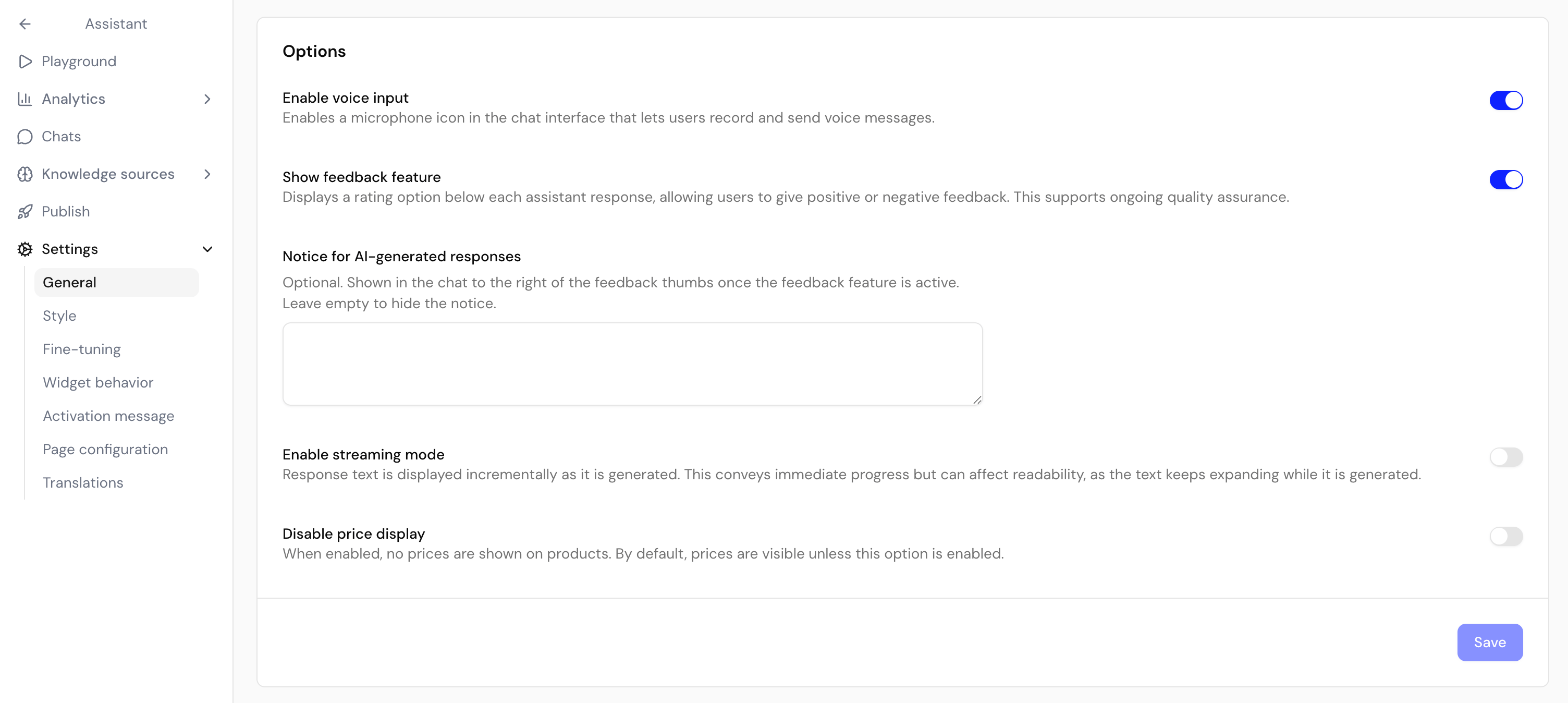
Options
The Options card holds additional toggles, such as showing the feedback feature, enabling voice input, enabling streaming mode, hiding price display, generating reply suggestions, and disabling branding.Reply suggestions are the clickable follow-up questions the assistant offers after its responses. Turn off
Generate reply suggestions if you’d rather shoppers type their own questions.
Conversion tracking is also configured here for non-Shopify stores. See Conversion
tracking for the full setup.
Next steps
Conversion tracking
Measure which conversations lead to purchases.
Style your assistant
Match the chat interface and launcher to your brand.