

Set up the Activation message
1
Open Activation message
Go to Assistants in the homie platform, select your assistant, and open Settings → Activation message.
2
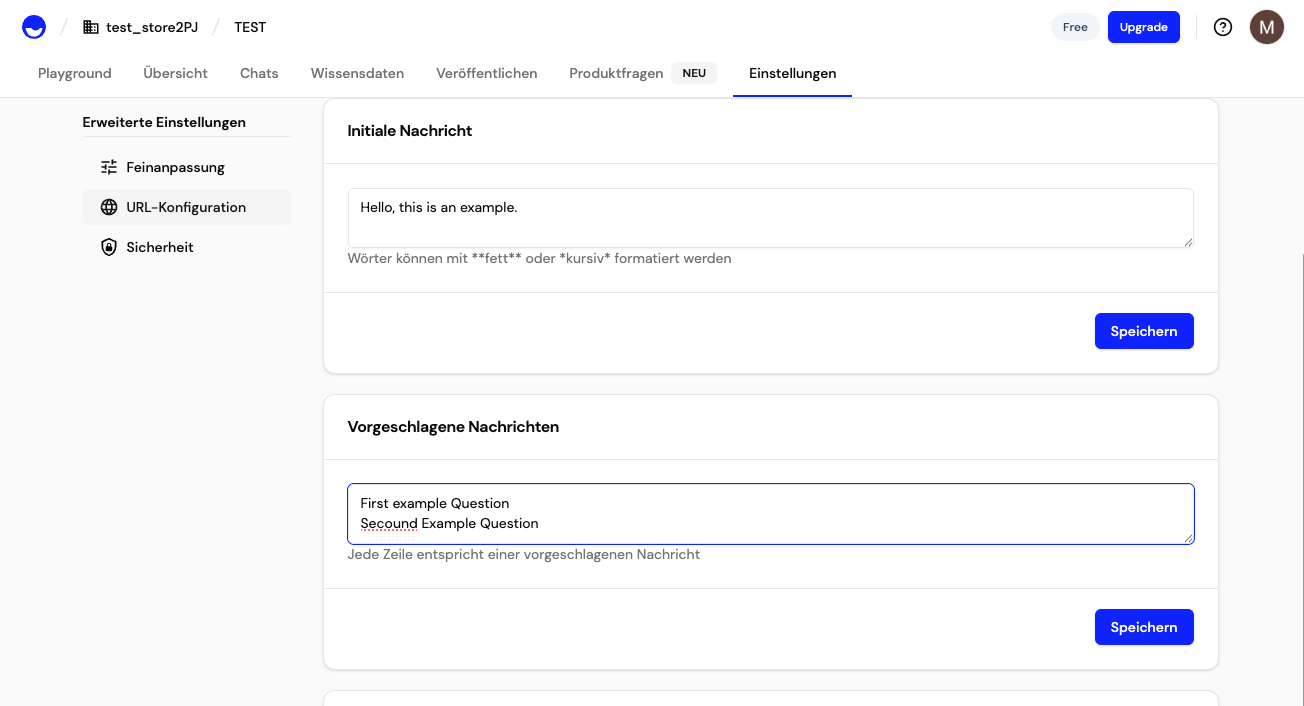
Write the message
Enter the text shown in the activation message before the chat opens.
3
Add reply suggestions
Optionally add reply suggestions — one per line — that visitors can tap to start the conversation with a specific question.
4
Choose the trigger
Set the Type to Scroll depth (a percentage of the page) or Time on page (a number of seconds), then set the Threshold that fires it.
5
Set delay and repeat
Optionally add a Delay before the bubble shows, and a Repeat after time that defines how long to wait before showing it again, so it does not feel intrusive. Toggle Active to enable it.
Trigger options
Next steps
Widget behavior
Control how the widget is displayed and layered on the page.
Customize per page
Set page-specific activation messages and hide the widget where needed.