

Before you start: work within an organization, and ideally identify your most visited or most asked-about PDPs so you can start where it matters most.
1. Configure product questions
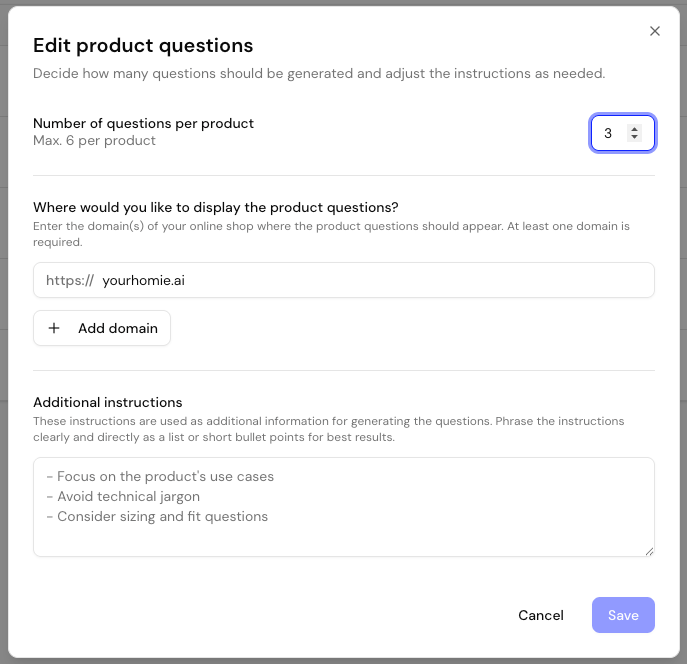
Select AI product questions and click Start setup to begin the initial configuration. This setup defines how questions are generated and which domains may fetch them.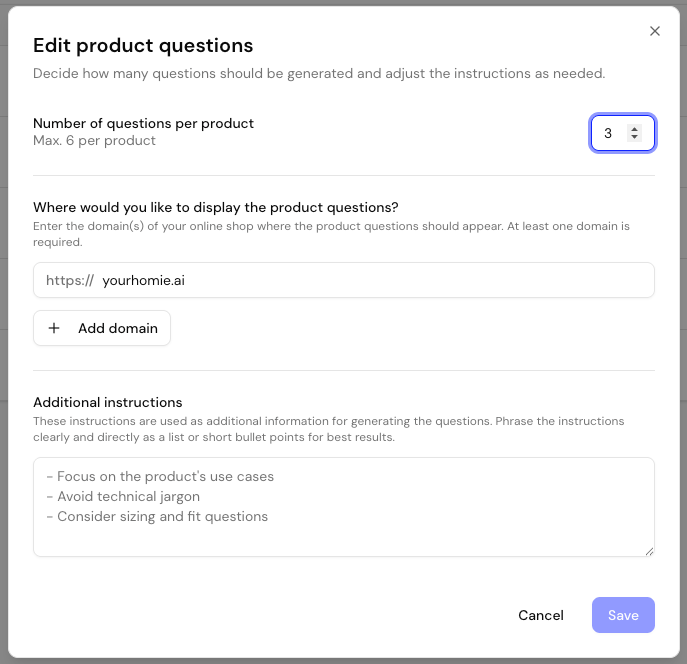
- Add product pages
Click Create to add product pages. You can choose from three import methods.
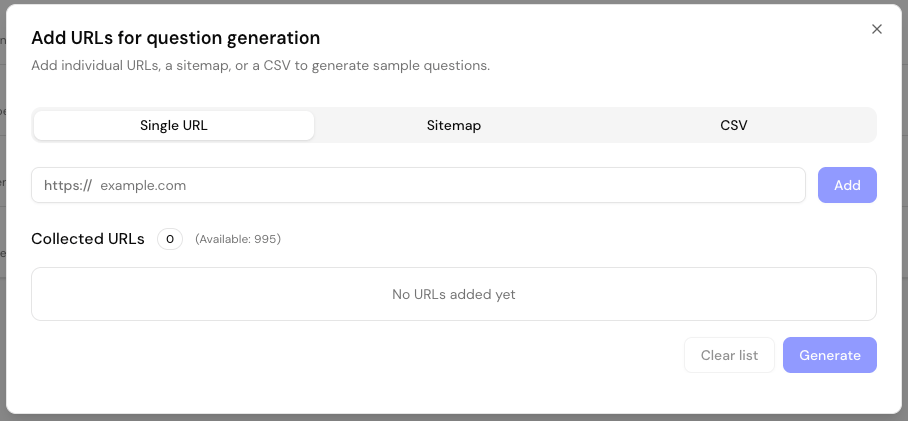
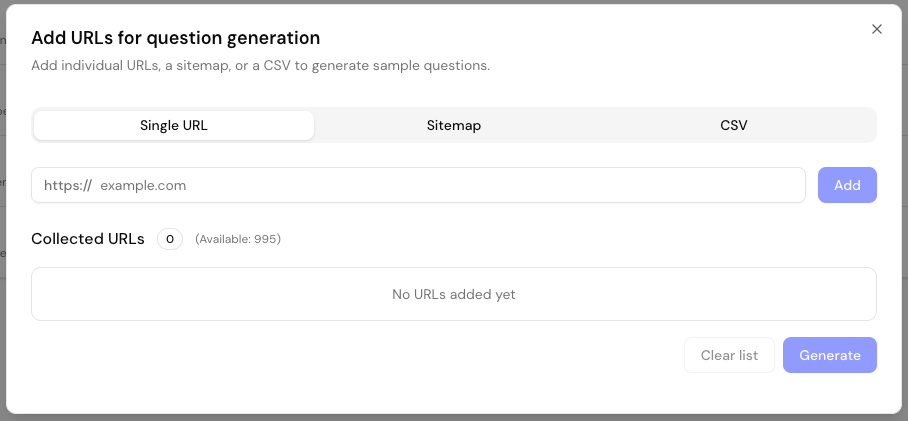
- Single URL
- Sitemap
- CSV import
Enter a product page URL directly and click Add. Ideal for adding individual high-priority pages.
You can combine all three methods — start with your top PDPs manually, then expand via sitemap or CSV to scale up.
3. Generate questions
Once your list is ready, click Generate. homie processes all URLs in the background and skips duplicates automatically. Depending on the number of URLs, this may take a few minutes. The result table lists each product URL with its number of questions, when they were generated, and how often the set has been viewed (Views). Rows update live while generation runs, so you can track progress. Use the search box and pagination to manage large catalogs.4. Embed on your product pages
You’ll find the embedding options in the Integration tab of AI product questions. There are two ways to display the generated questions.Prerequisite: the homie assistant must already be installed on your storefront. Product questions extend the existing assistant — they don’t load a separate script.
Shopify
1
Open the Shopify theme editor
In Shopify, open the Theme Editor and navigate to a product page.
2
Add the section
Click Add section in the sidebar, then under Apps select the homie Product Questions component.
3
Position the block
Drag the block to your desired position, for example below the product description.
Make sure questions have already been generated for the product you’re previewing. Otherwise the section appears empty.
Manual integration
Add the following element to your page template wherever you want the questions to appear:This host element is required. The already-installed homie assistant script automatically detects
#homie-product-questions on each page and fills it with that page’s questions. Without a matching element, no questions are rendered.homie-product-questions-:
homie-product-questions or an ID beginning with homie-product-questions-.
Trigger a question programmatically
When a shopper clicks a suggested question, the chat opens with that question already asked. You can trigger the same behavior yourself from your own UI using the Client API. SeesendMessage in the client methods reference to open the chat with a specific PDP question.
If you need to fetch a question set directly — for example to render questions in a custom frontend — use the public endpoint documented in Get PDP questions.
Next steps
Style the widget
Match the product questions widget to your storefront.
Add knowledge
Give the assistant the content it needs to answer the questions well.