

Overview
The Overview card shows the total messages used in the selected period against your plan’s monthly quota, with a chart of messages over time. On Enterprise plans, which aren’t capped by a fixed quota, only the totals are shown.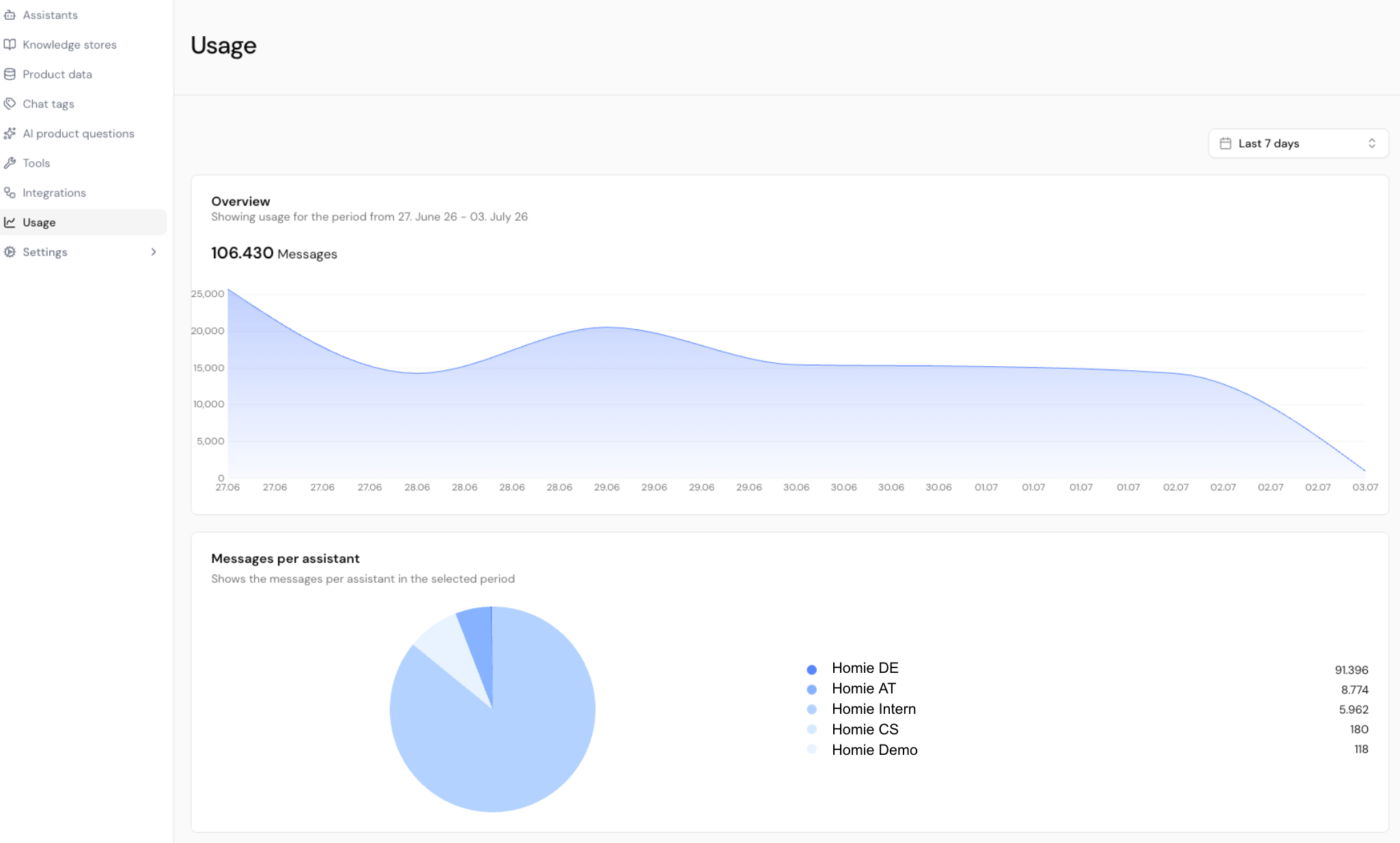
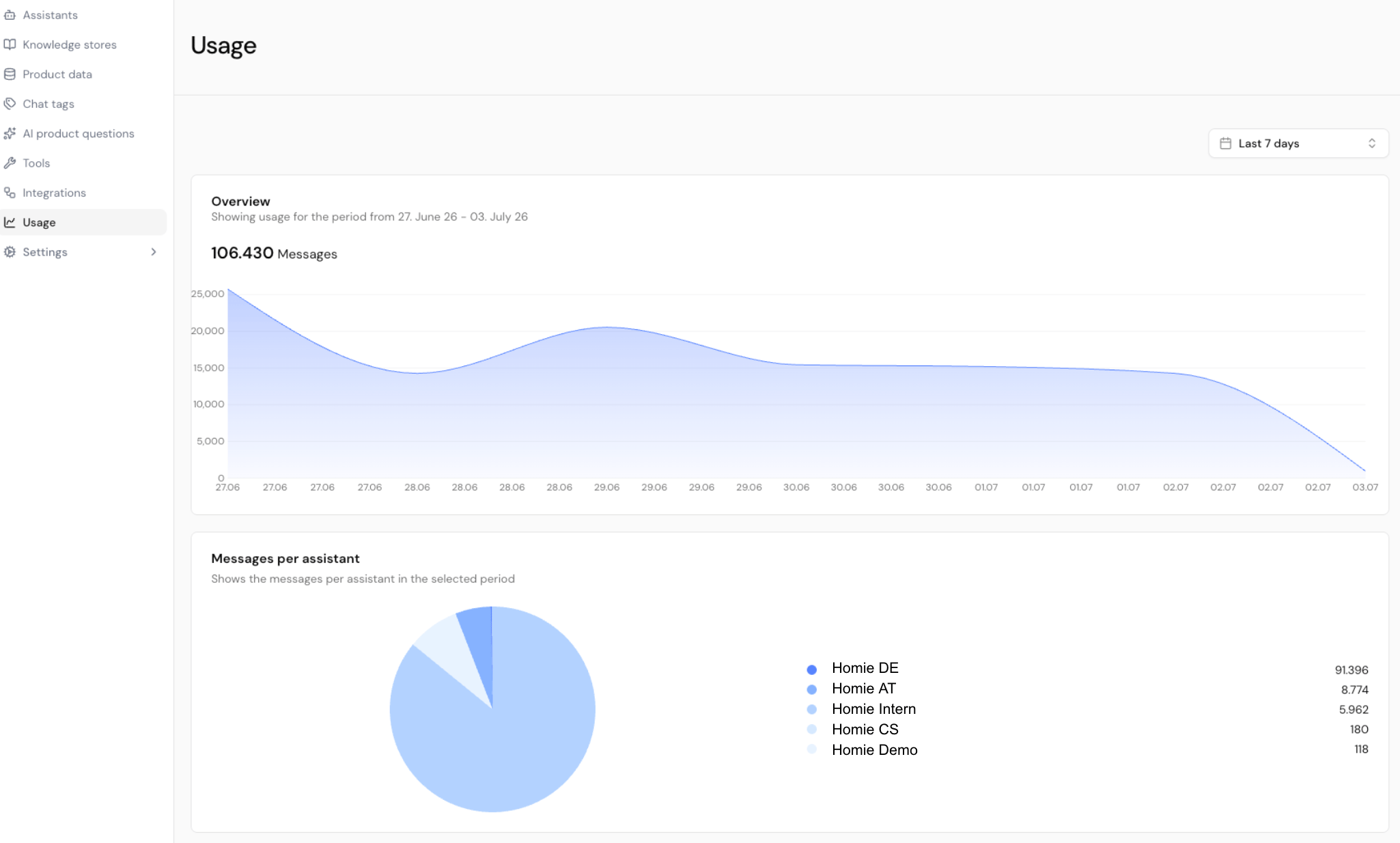
Messages per assistant
The Messages per assistant breakdown shows how each assistant contributes to your total, so you can see which assistants drive the most volume. Use it to spot heavy consumers or assistants that need attention.Date filters
A filter lets you adjust the time range for the metrics on the page.Next steps
Billing & plans
Change your plan or set a spending limit.
Manage your team
Control who can access each assistant.