> ## Documentation Index
> Fetch the complete documentation index at: https://docs.yourhomie.ai/llms.txt
> Use this file to discover all available pages before exploring further.
# Secrets
> Securely store encrypted credentials such as API keys and tokens for use by HTTP tools.
Secrets let you store sensitive values — API keys, tokens, and other credentials — that your [HTTP tools](/en/user-guide/tools/custom-tools) and [auth connections](/en/user-guide/settings/auth-connections) need. Secrets are stored encrypted, so you can reference them in tools without exposing the raw value. Open **Settings → Secrets** to manage them.
Never share secret values, paste them into chat messages, or commit them to source control. Once stored, a secret's value is encrypted and not shown again — treat each secret as you would a password.
## Create a secret
Open **Settings → Secrets** and select **Add secret**.
Give the secret a clear name so you can recognize it later, then paste the credential value (such as an API key or token).
Save the secret. homie encrypts the value and stores it securely. You can now reference it from an HTTP tool or auth connection.
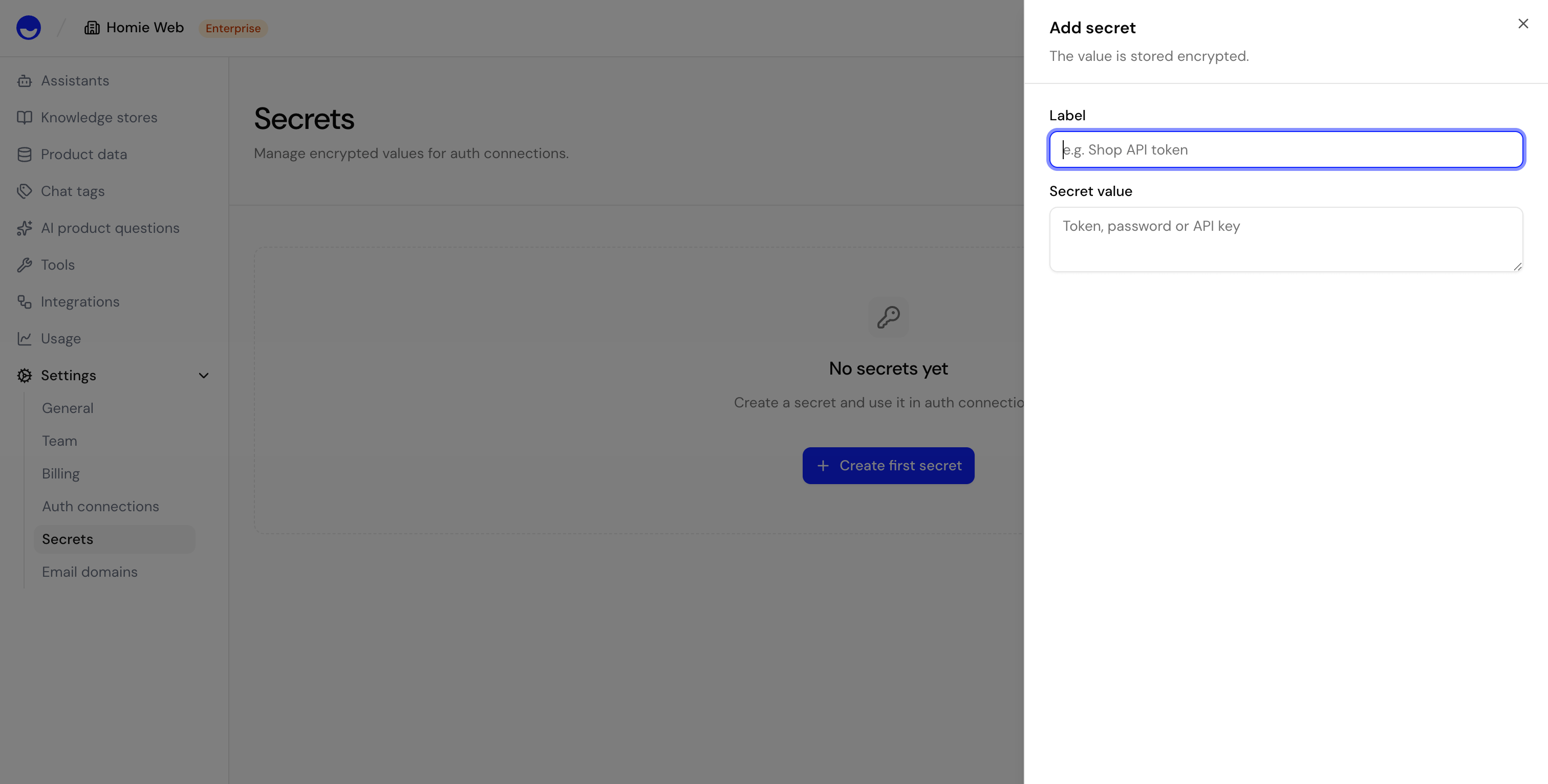 {/* TODO: Screenshot — Dashboard > Settings > Secrets */}
## Edit and delete secrets
You can rename a secret or replace its value at any time — useful when you rotate a key. Deleting a secret removes it permanently; any HTTP tool that relies on it stops working until you provide a replacement.
Creating, editing, and deleting secrets requires the **Owner** or **Admin** role.
## Next steps
Use stored secrets when building tools.
Connect external services with stored credentials.
{/* TODO: Screenshot — Dashboard > Settings > Secrets */}
## Edit and delete secrets
You can rename a secret or replace its value at any time — useful when you rotate a key. Deleting a secret removes it permanently; any HTTP tool that relies on it stops working until you provide a replacement.
Creating, editing, and deleting secrets requires the **Owner** or **Admin** role.
## Next steps
Use stored secrets when building tools.
Connect external services with stored credentials.