> ## Documentation Index
> Fetch the complete documentation index at: https://docs.yourhomie.ai/llms.txt
> Use this file to discover all available pages before exploring further.
# Auth Connections
> Manage credential connections that HTTP tools use to authenticate against external services.
Auth connections let your [HTTP tools](/en/user-guide/tools/custom-tools) authenticate against external services — for example an API protected by a bearer token, basic auth, or a custom header. Set up a connection once and reuse it across the tools that need it. Open **Settings → Auth connections** to manage them.
Managing auth connections requires the **Owner** or **Admin** role.
## How it works
Each connection pairs an authentication method with a value stored as a [secret](/en/user-guide/settings/secrets), so the sensitive credential is never exposed in your tool configuration. homie supports:
* **Bearer token** — sends an `Authorization: Bearer` header with your token.
* **Basic auth** — sends a username and password.
* **Header** — sends a custom header with your value.
## Add a connection
First add the API key, token, or password as a [secret](/en/user-guide/settings/secrets) so the value stays encrypted.
Open **Settings → Auth connections** and select **Add auth connection**.
Select how the external service authenticates — **Bearer token**, **Basic auth**, or a custom **Header** — and reference the secret that holds the value.
Reference the connection when configuring an HTTP tool so the tool can call the external service on your behalf.
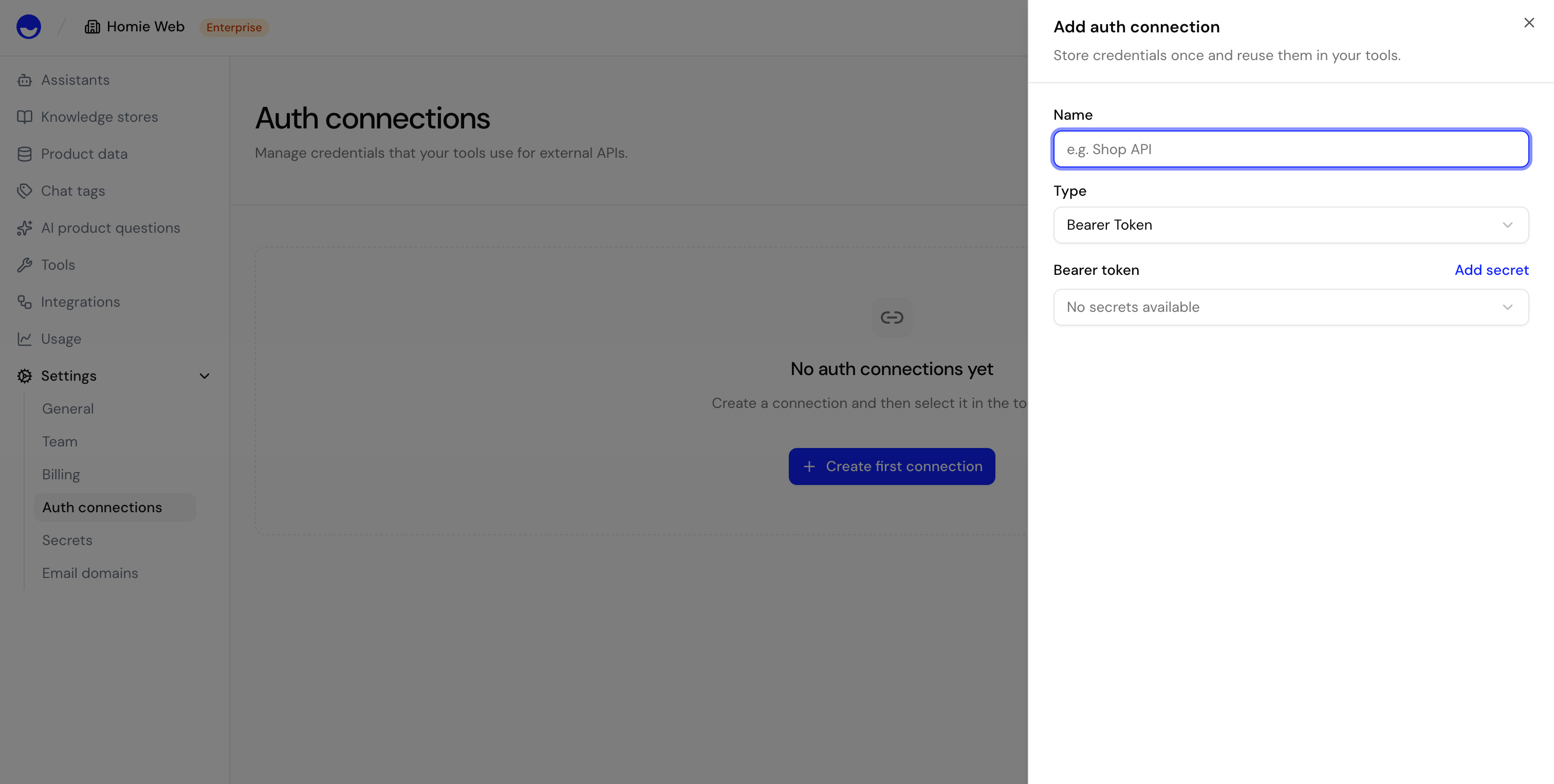 {/* TODO: Screenshot — Dashboard > Settings > Auth Connections */}
## Manage connections
Review your connections, update the credential a connection uses, or remove a connection you no longer need. Removing a connection stops any HTTP tool that depends on it from authenticating.
## Next steps
Build tools that call your external services.
Store the encrypted credentials your connections use.
{/* TODO: Screenshot — Dashboard > Settings > Auth Connections */}
## Manage connections
Review your connections, update the credential a connection uses, or remove a connection you no longer need. Removing a connection stops any HTTP tool that depends on it from authenticating.
## Next steps
Build tools that call your external services.
Store the encrypted credentials your connections use.